Scan the receipt and TabCut reads every item. Assign dishes to the people who ordered them. Everyone gets an exact total — tip, tax, and all.
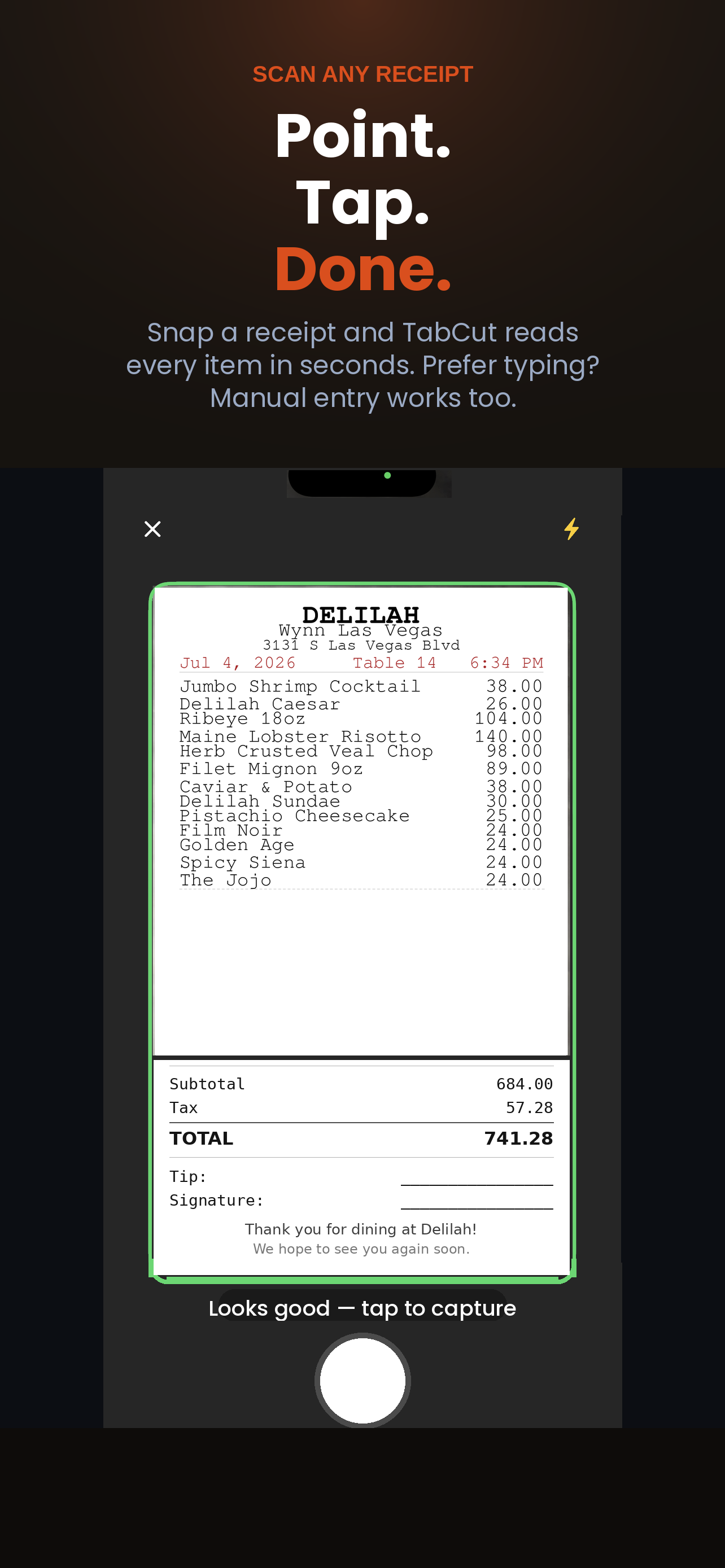
Point your camera at the receipt and TabCut reads every line item in seconds — name, price, quantity. All processing happens on your iPhone; nothing is uploaded. Prefer to type or talk? Manual entry and Voice Mode both work too.
Type in names, pull from your Contacts, or add a saved Dining Group in one tap. Everyone at the table gets their own column from the start.
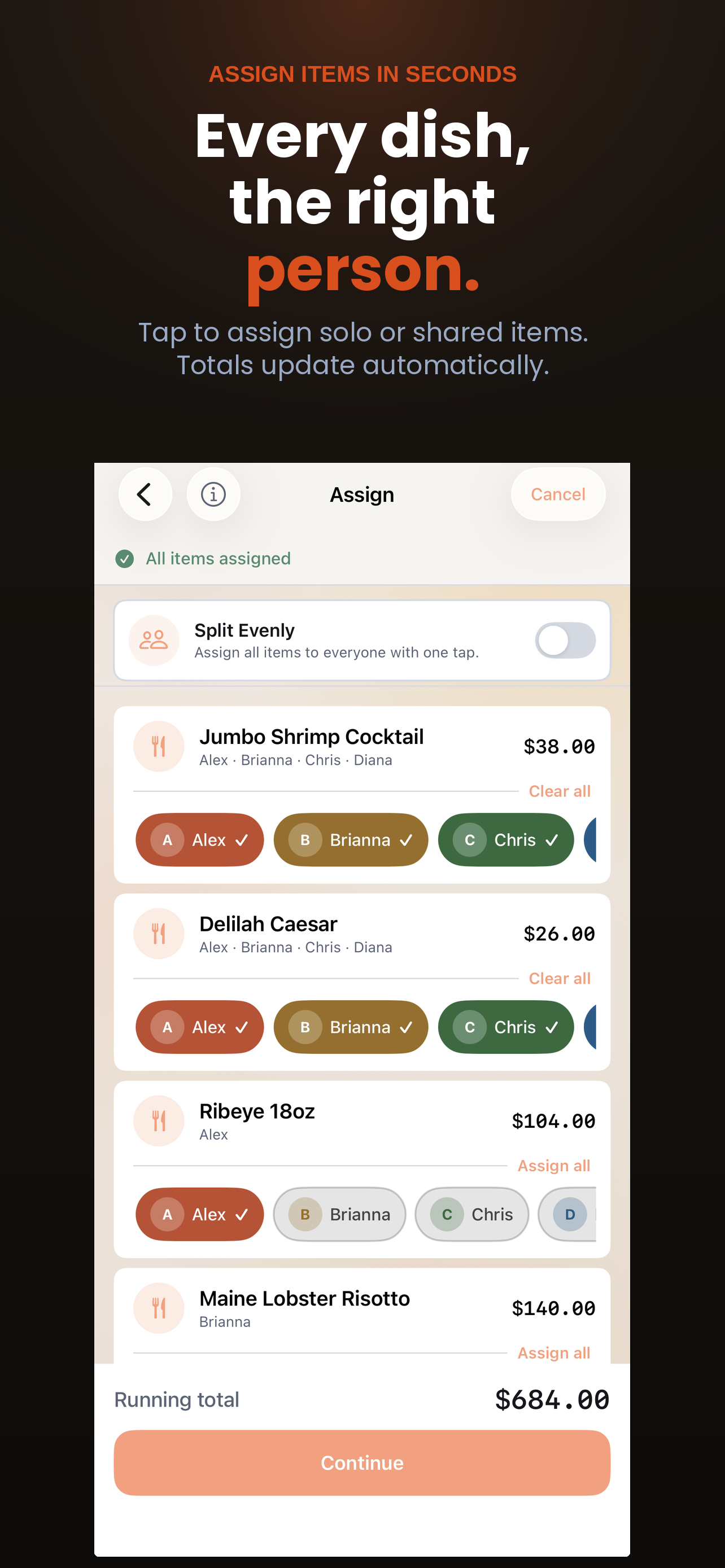
Tap to assign dishes to whoever ordered them, or fill in a saved Meal Template instead of starting from scratch. Split shared items across multiple people, add tax, tip, the venue name, and currency if you're abroad — then confirm and you're done.
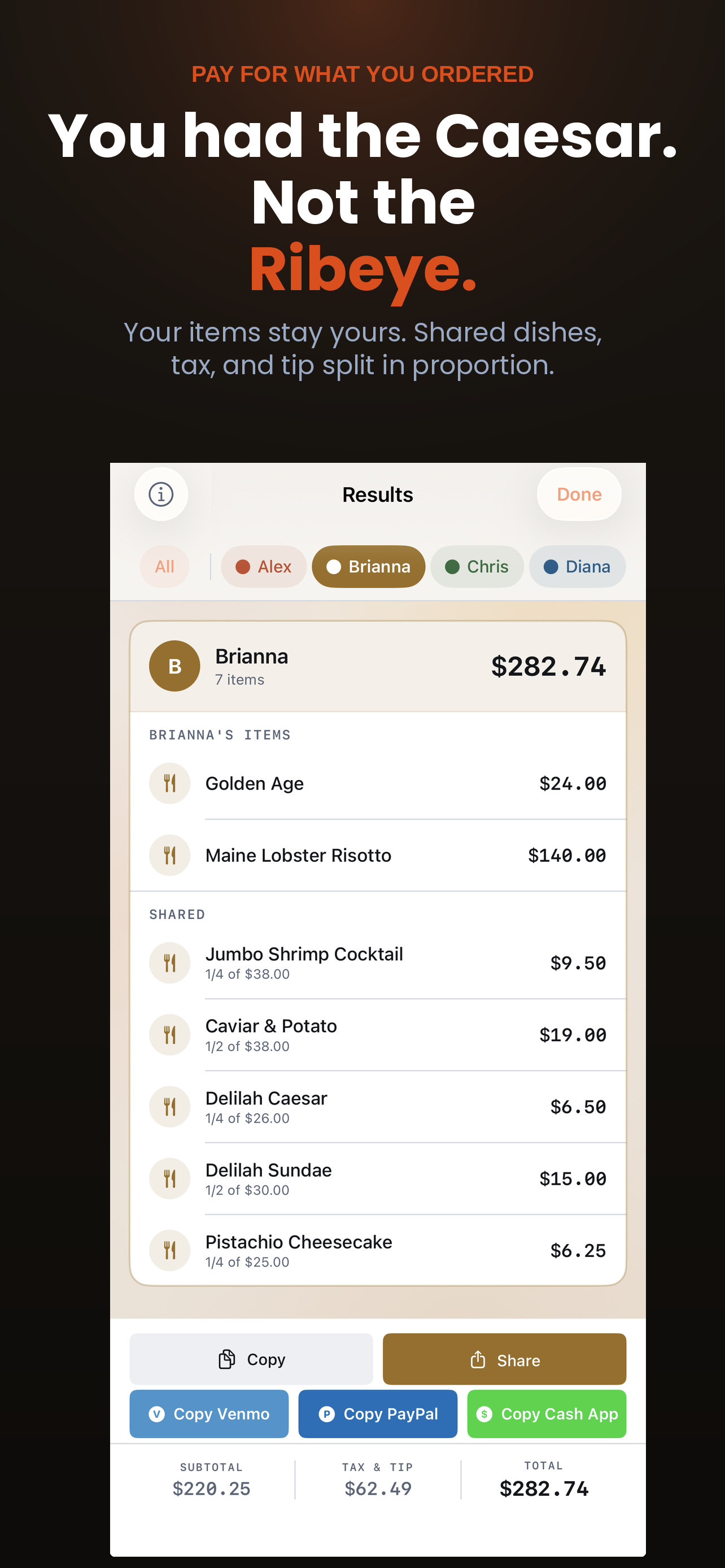
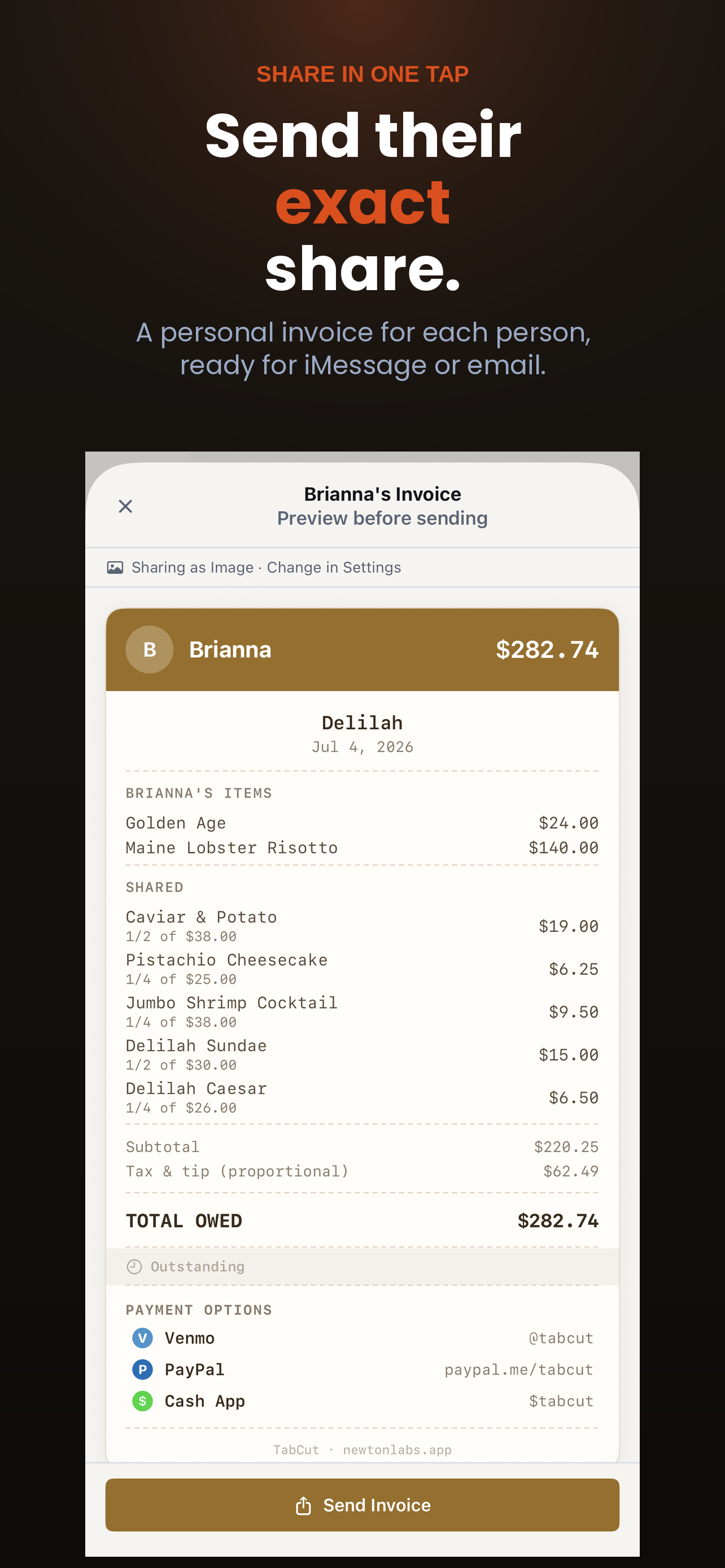
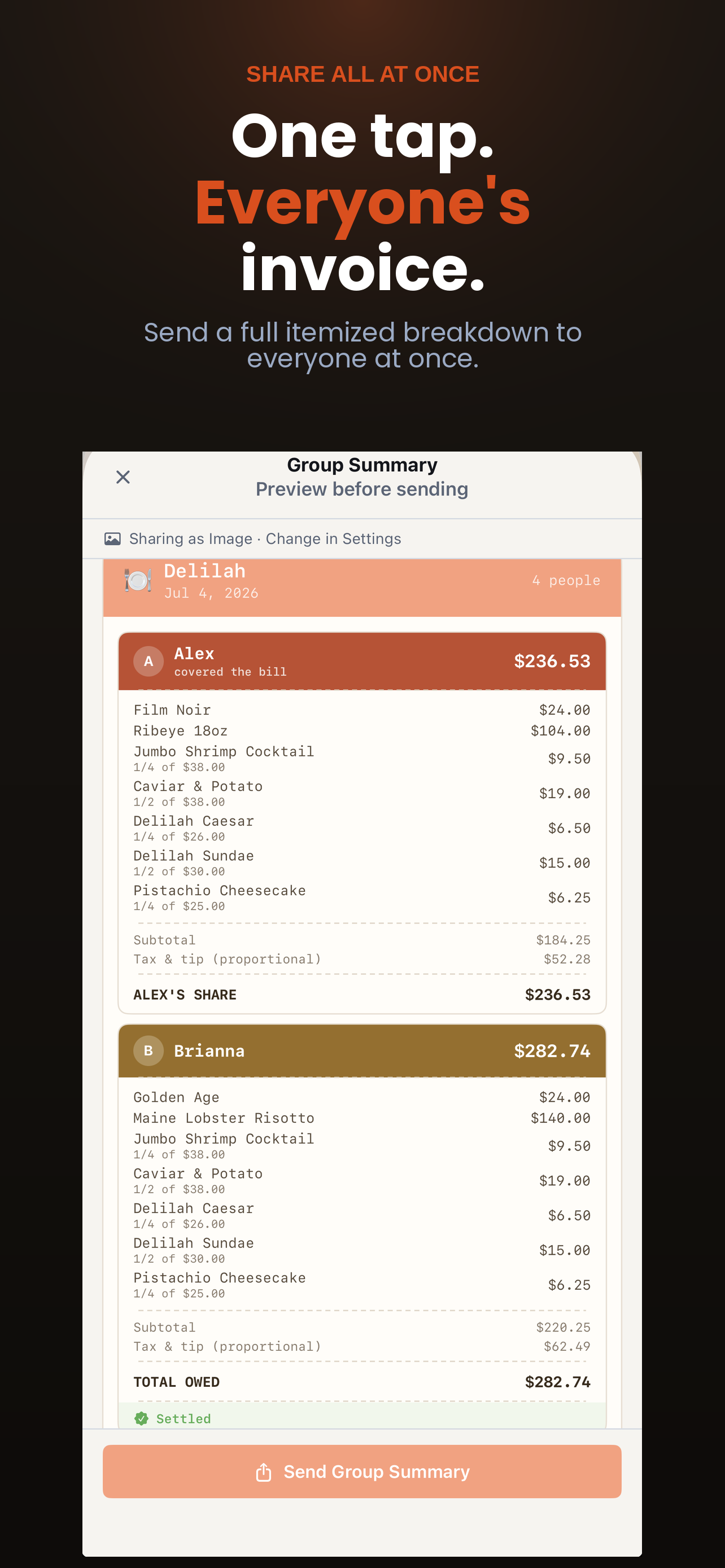
TabCut generates a clean, formatted summary showing what each person owes. Share it by text or email, or tap to request payment on Venmo, PayPal, or Cash App.
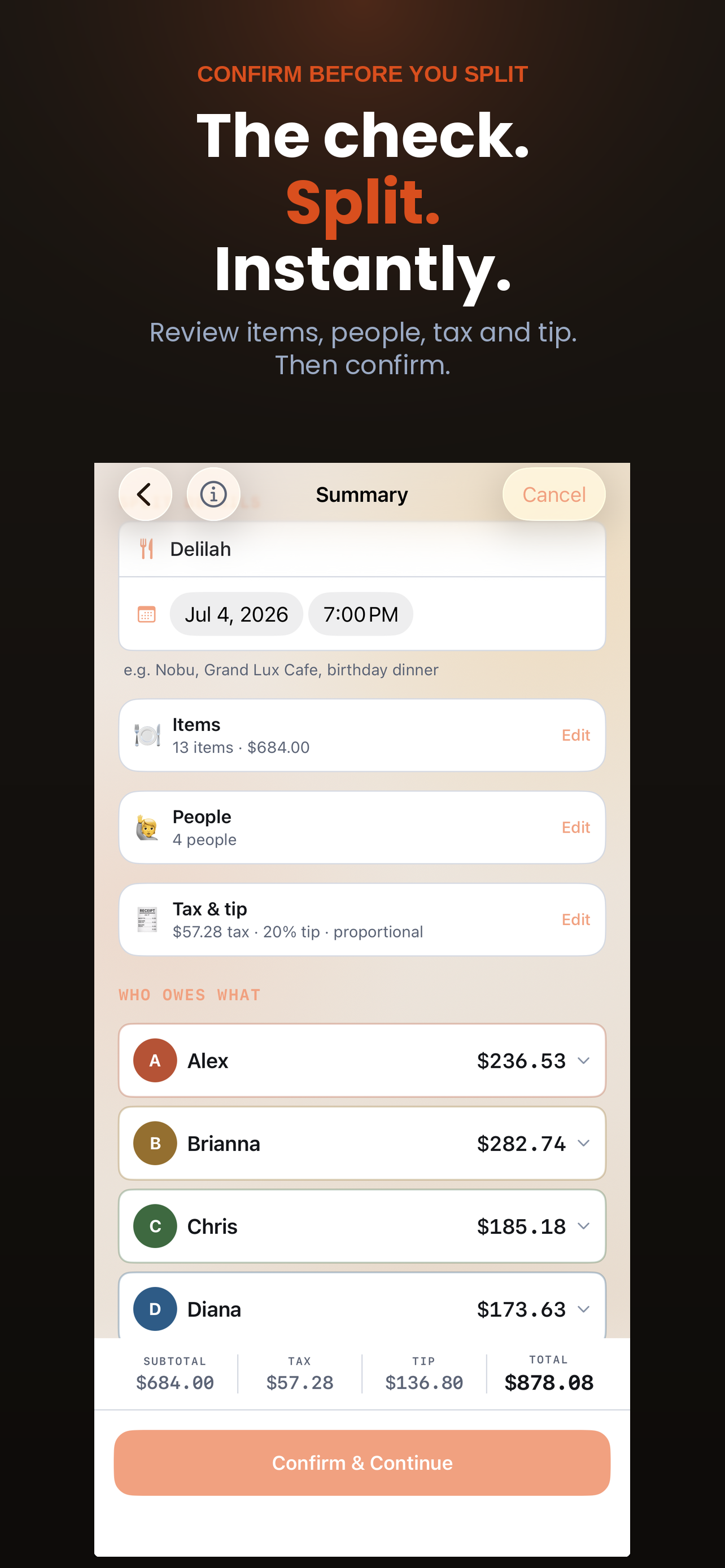
Type names directly or import from your Contacts. Each person gets their own running total as items are assigned — no confusion at the end.
Save the people you split with most — roommates, the weekly dinner crew, a travel group — and add everyone back with a single tap next time.
Camera-powered scanning reads your receipt instantly. Works on crumpled paper, dim lighting, and long itemized bills. Prefer to type? Add items manually with the built-in keyboard entry.
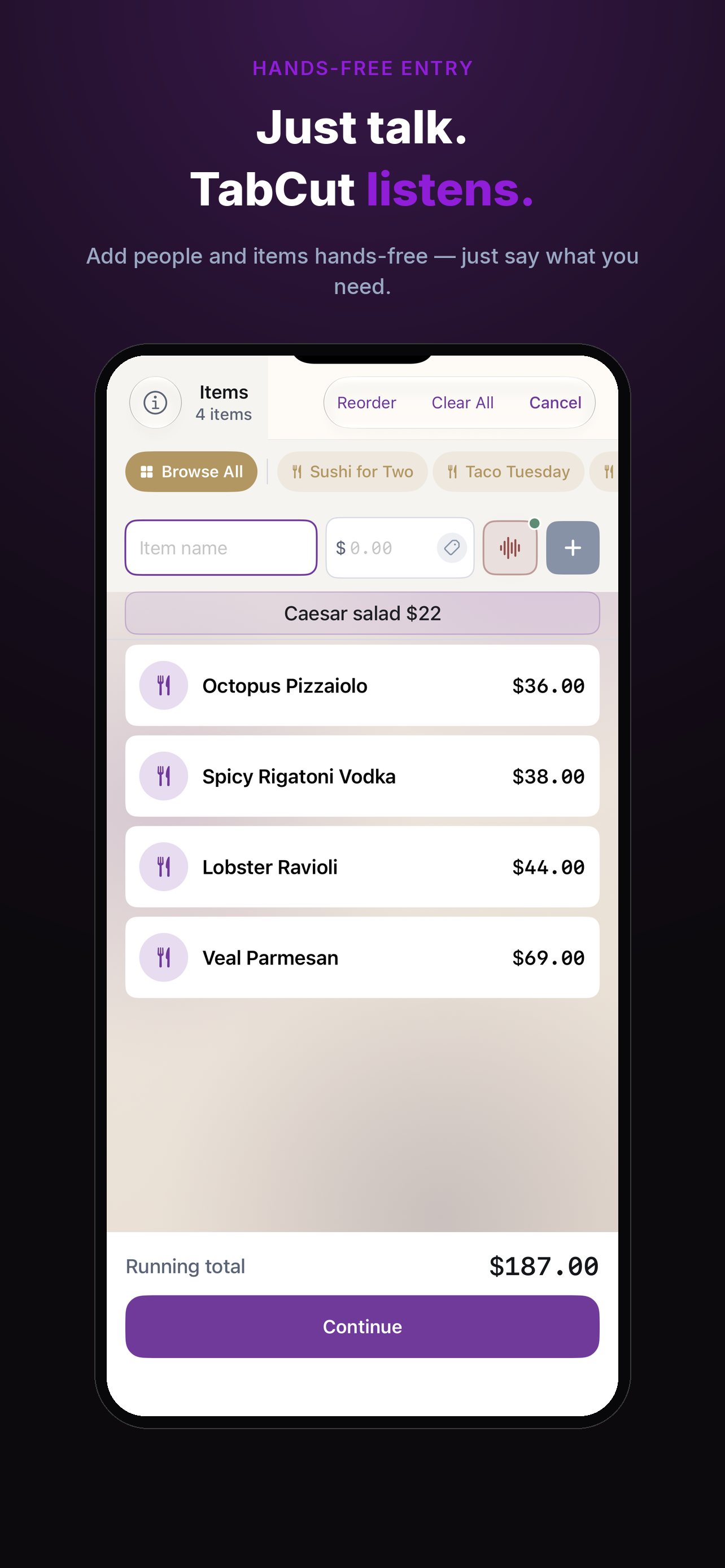
Add people and items completely hands-free — just say what you need and TabCut builds the split as you talk.
Assign each dish to the person who ordered it. No more rounding errors or awkward "can you cover the extra $2" conversations.
Shared appetizers and bottles split evenly across however many people ordered them — one tap per person.
Order the same thing every time? Save a meal once as a template, then fill in a new split with a single tap.
Send each person's total by text or email, or tap to open a payment request in Venmo, PayPal, or Cash App with the amount pre-filled.
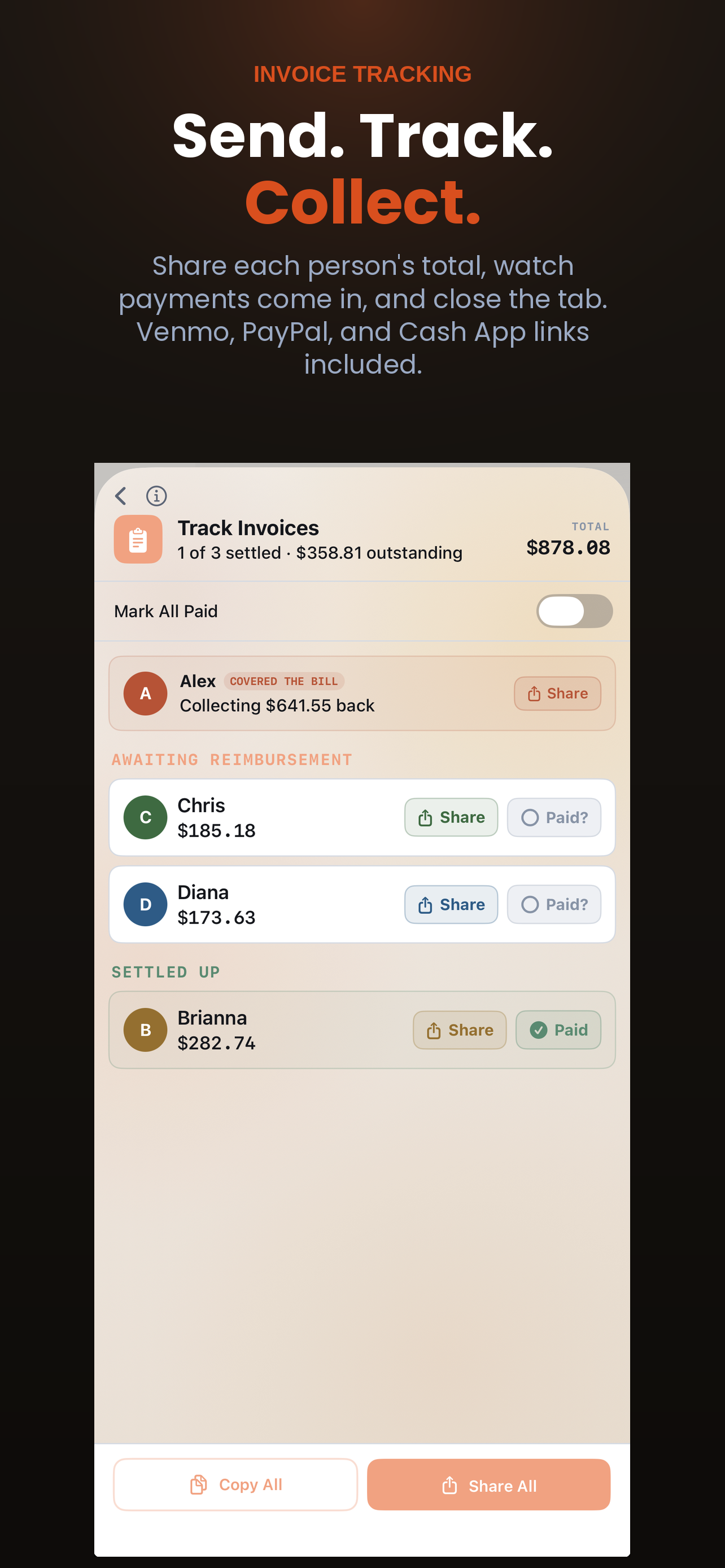
Mark each person as paid and track outstanding balances. Mark all at once when the table settles up together.
Splitting a bill abroad? Set the currency for any split so every total reads correctly, no matter where the table is.
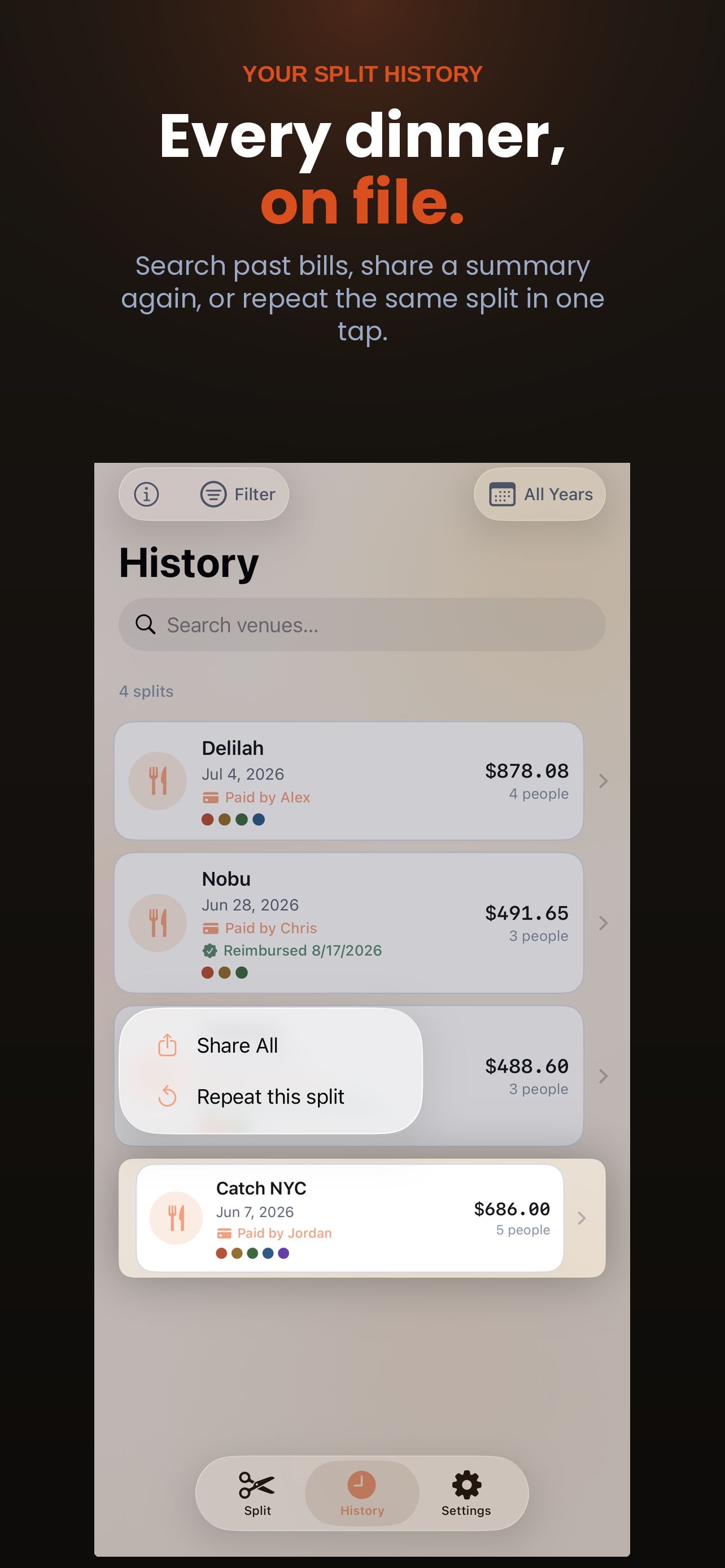
Every split is saved. Browse past restaurant bills, see who was there, and reference old totals anytime.
Go to the same spot every week? Start a new split from a previous one — same people, same structure, new amounts.
Receipt scanning happens entirely on-device using Apple's built-in Vision framework. Your receipt photos are never uploaded to a server — not ours, not anyone's.
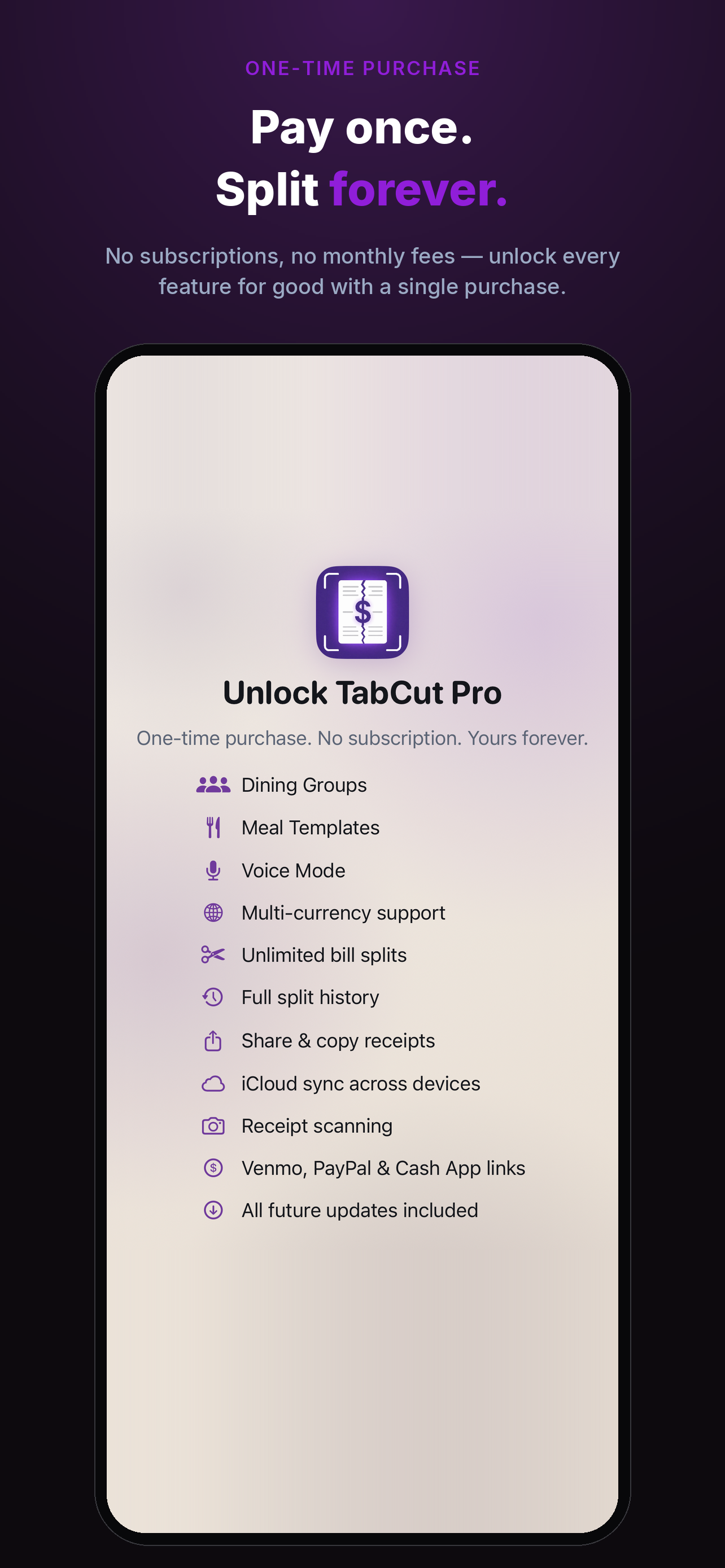
The free version covers your first few splits to try the app. Unlock Pro once and TabCut is yours — no subscription, no renewals, no catches.
Free to download. No account. No subscription. Start splitting in under a minute.